Make PDF Smaller Installed
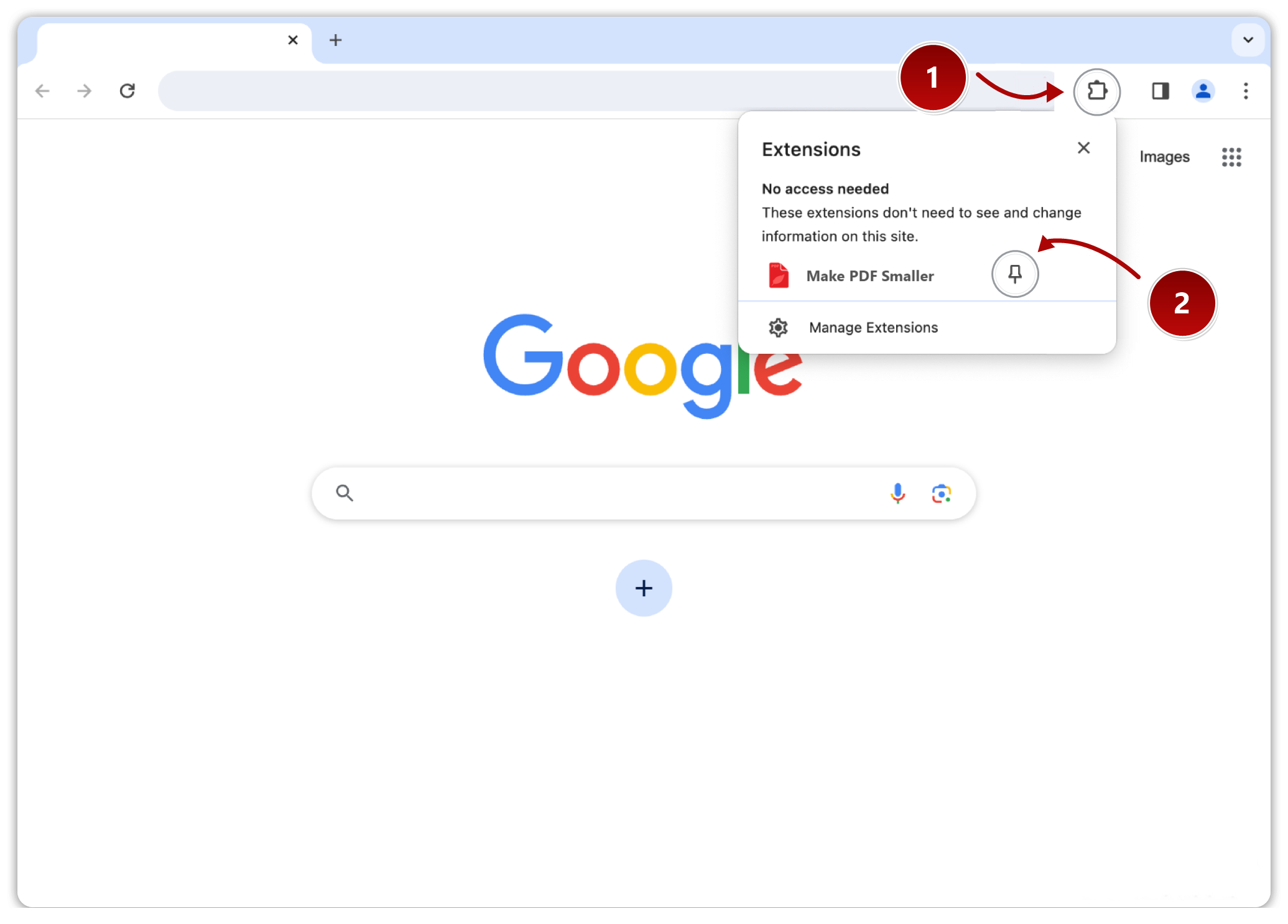
Click the puzzle piece icon (1) in the top-right corner of your browser. Then, click the pin icon (2) next to the extension:
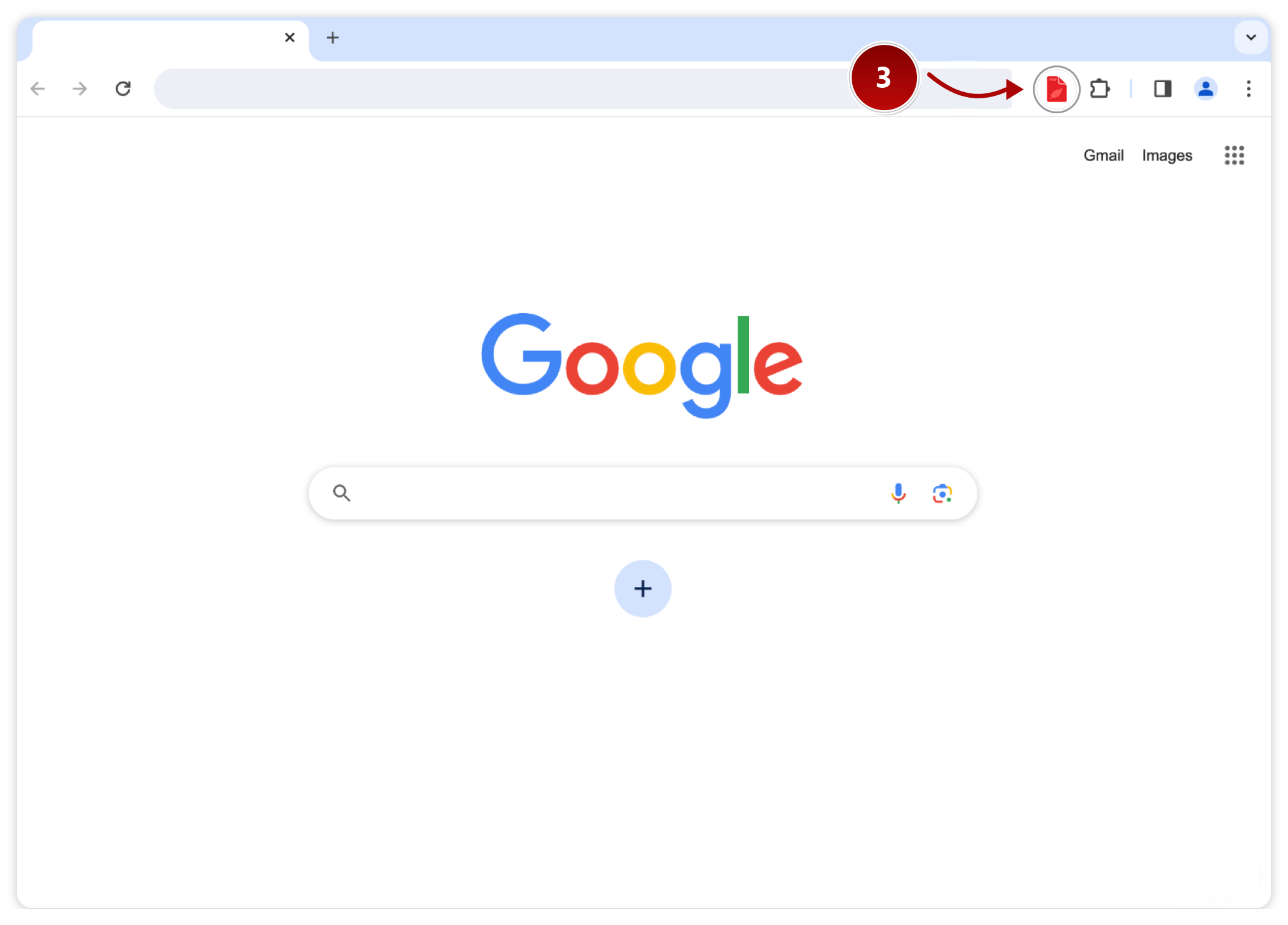
Click the extension icon (3) in your toolbar on any page to start using Make PDF Smaller:
Already pinned? Learn how to use Make PDF Smaller
Make PDF Smaller is ready
The extension is already in your toolbar. Here’s how to make the most of it.

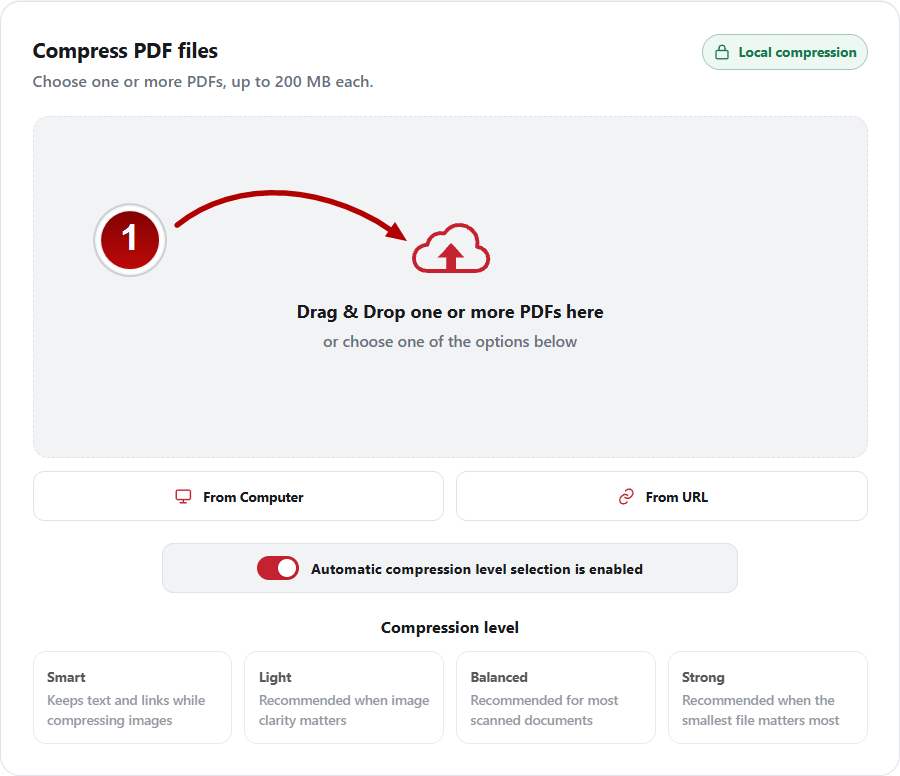
Drag and drop one or more files into the designated area (1) to start compressing them:
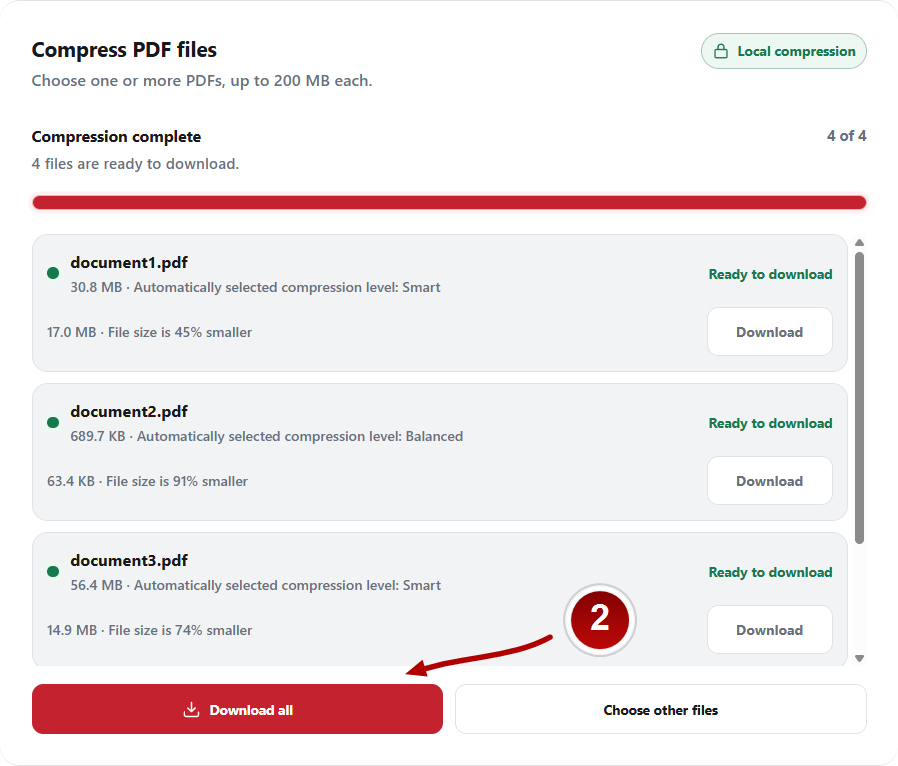
Once the extension has finished compressing your files, simply click button (2) to download them all at once:
Don't see the icon in your toolbar? Learn how to pin it